

Split PDF by file size
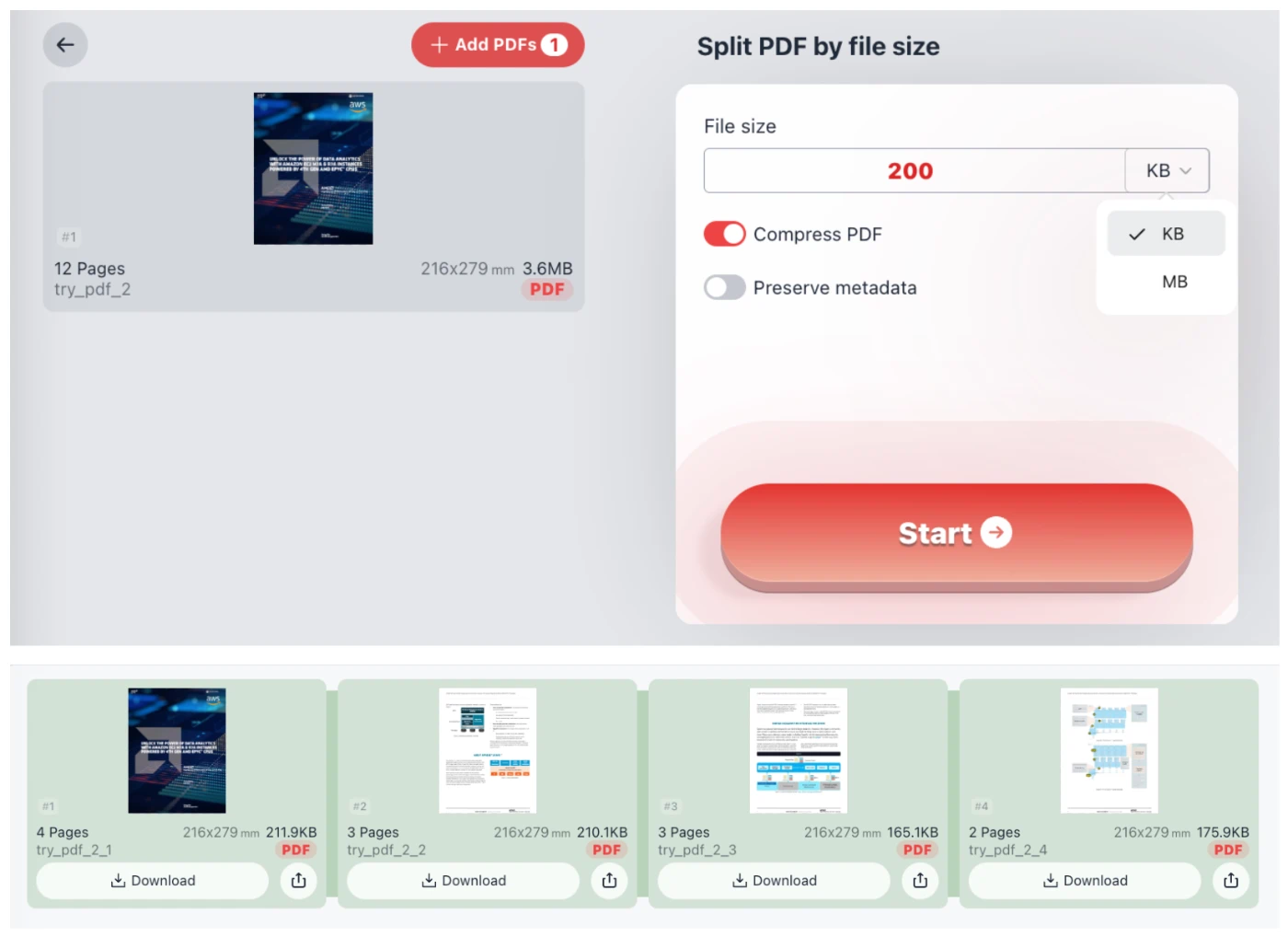
Split the PDF into multiple copies according to the set file size. Set a 6MB PDF to be split into 1MB file sizes, and split it into 6 copies. Each copy will be as close as possible but not more than 1MB (if a single page of the PDF does not exceed 1MB). Turning on compression can prevent the split PDF files from being too large.
Try these now PDFs:
Does this online conversion service protect my privacy? Are the files I import safe?
Very safe, because your files never leave your device and are not uploaded. ImagesTool uses browser technology to achieve the conversion service that previously required uploading.
Everything happens only in your browser, 100% protecting your privacy.
You can do a test Convert once, then disconnect the device from the network, and convert again and you will find that everything is normal.
Split
Split PDF by File Size
Efficiently manage your large documents with our Split PDF by file size tool. This specialized utility allows you to divide a single large PDF into multiple smaller copies based on your specific target size requirements. For example, if you have a 6MB document and set the limit to 1MB, our tool will intelligently partition it into 6 separate files. Each output file will be as close to the target size as possible without exceeding it, provided a single page does not naturally exceed the limit.
Key Features
- Precise Size Control: Define limits in KB or MB to meet email attachment restrictions or web upload requirements.
- Integrated PDF Compression: Enable the "Compress PDF" toggle to reduce page weight, ensuring the split parts remain compact.
- Metadata Preservation: Optional setting to keep original document properties during the splitting process.
- Instant Preview: View the resulting file sizes and page counts immediately after processing.
100% Private and Secure Processing
We prioritize your data security. Unlike traditional online converters, this tool performs all PDF processing directly in your browser. Your sensitive documents never leave your device and are never uploaded to any server. This ensures 100% privacy and confidentiality for your business or personal files. There is no registration required, no login needed, and absolutely no file uploads involved.
Frequently Asked Questions
How do I split a PDF into specific sizes?
Simply select your PDF, enter the desired maximum file size (e.g., 200KB or 2MB), and click "Start". The tool will group pages together until the size limit is reached for each segment.
What happens if one page is larger than the limit?
If a single page is inherently larger than your set limit, the tool will isolate that page into its own file. Enabling the compression feature can help bring such pages under the limit.