

Convert PDF to SVG Online - Free, Private & Secure Tool
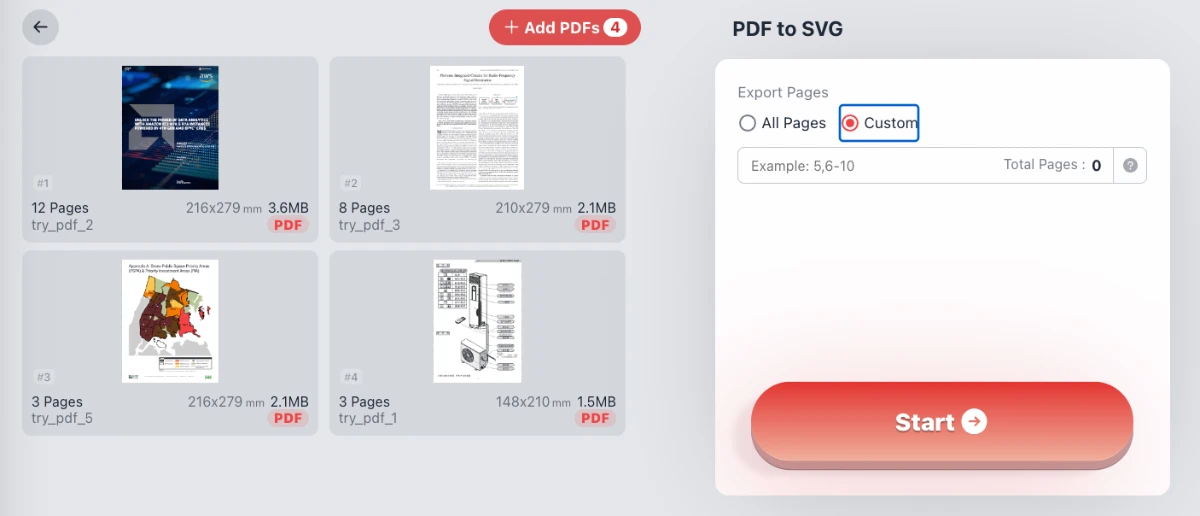
Transform PDF pages into high-quality, scalable vector graphics (SVG) instantly. Your files never leave your device thanks to local browser processing. Features include batch conversion, custom page ranges, and a built-in SVG editor to remove unwanted paths or crop the canvas visually.
Try these now PDFs:
Does this online conversion service protect my privacy? Are the files I import safe?
Very safe, because your files never leave your device and are not uploaded. ImagesTool uses browser technology to achieve the conversion service that previously required uploading.
Everything happens only in your browser, 100% protecting your privacy.
You can do a test Convert once, then disconnect the device from the network, and convert again and you will find that everything is normal.
PDF to Others
Convert PDF to SVG: Free, Secure, and Browser-Based Tool
Transform your PDF documents into high-quality, scalable vector graphics (SVG) instantly. Experience the ultimate privacy-focused converter where your files never leave your device.
Why Choose Our PDF to SVG Converter?
In the world of digital design and document management, vector graphics are essential for maintaining quality at any scale. Our tool offers a seamless solution to convert PDF pages into SVG paths without the need for heavy software or unsafe server uploads. Whether you are a graphic designer extracting logos, a developer needing vector assets, or an architect working with blueprints, our tool provides precision and control.
Unlike traditional online converters that require you to upload your sensitive data to a remote server, our technology processes your PDF files directly within your web browser. This ensures 100% privacy and security. No registration, no login, and no file uploads are required.
Advanced Features: Edit, Crop, and Clean Up
We go beyond simple conversion. Our tool includes a powerful built-in SVG editor that allows you to refine your output before downloading.
- Batch Processing: Upload multiple PDF files at once and convert them in bulk to save time.
- Page Selection: Choose to convert all pages or specify a custom range (e.g., pages 5-10) to extract only what you need.
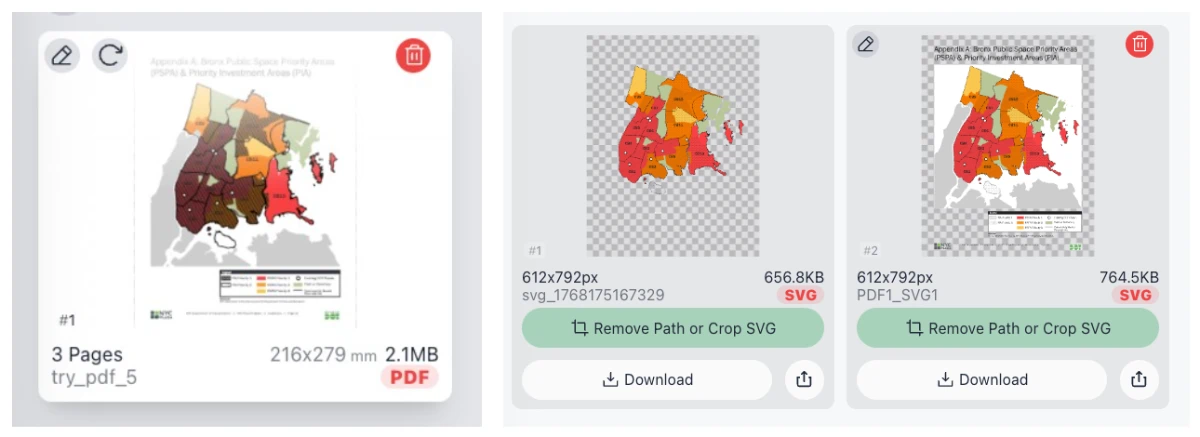
- Remove Unwanted Paths: Often, PDFs contain unnecessary elements like background layers, watermarks, or headers. Use our "Remove Path" feature to visually select and delete specific vector elements from the result.
- Visual Cropping: Crop the SVG canvas to focus on specific charts, maps, or illustrations, removing excess whitespace immediately.


How to Convert PDF to SVG
- Add PDFs: Click the "Add PDFs" button to select documents from your computer. You can add multiple files simultaneously.
- Configure Settings: Select whether you want to convert "All Pages" or a "Custom" range of pages.
- Start Conversion: Hit the "Start" button. The browser will process the file locally using WebAssembly technology.
- Edit (Optional): Click the "Remove Path or Crop SVG" button on the result card. Here you can delete specific vector layers or crop the image.
- Download: Once satisfied, download your clean, scalable SVG file.
Frequently Asked Questions (FAQ)
- Is this PDF to SVG converter free?
- Yes, our tool is completely free to use. There are no hidden costs, subscriptions, or watermarks added to your converted files.
- Is it safe to use? Do you store my files?
- It is 100% safe. We utilize client-side processing, meaning your files never leave your device. The conversion happens entirely within your browser's memory, ensuring complete data privacy and security.
- Can I convert multiple PDFs at once?
- Absolutely. Our batch processing feature allows you to add multiple PDF files to the queue and convert them all in one go.
- Can I edit the SVG after conversion?
- Yes. Unlike other tools, we provide an integrated editor. You can visually select and delete unwanted vector paths (like text or background shapes) and crop the image dimensions before downloading the final SVG.
- Do I need to install any software?
- No. This tool runs in any modern web browser (Chrome, Edge) on Windows, Mac, or Linux. No installation or plugin is required.