

Extract PDF Pages Free - Split PDF Online
Effortlessly separate PDF pages, split documents by range, or extract specific pages. 100% private browser-based processing—your files never leave your device.
Try these now PDFs:
Does this online conversion service protect my privacy? Are the files I import safe?
Very safe, because your files never leave your device and are not uploaded. ImagesTool uses browser technology to achieve the conversion service that previously required uploading.
Everything happens only in your browser, 100% protecting your privacy.
You can do a test Convert once, then disconnect the device from the network, and convert again and you will find that everything is normal.
Extract PDF Pages Free - Split PDF Online
Effortlessly separate PDF pages, split documents into multiple files, or extract specific ranges. The ultimate tool for PDF management that runs entirely in your browser for 100% privacy.
Why Choose Our PDF Splitter?
Managing large documents can be cumbersome. Whether you need to separate a single page from a contract, divide a book into chapters, or extract specific data sets, our Extract PDF Pages tool offers a comprehensive solution. Unlike traditional online tools, we prioritize your security.
Privacy Guarantee: All processing happens locally within your web browser. Your files never leave your device. There is no server upload, meaning your sensitive data remains completely private. No login, no registration, and no installation required.
Core Features & Splitting Modes
Our tool provides four distinct modes to handle any document structure, ensuring precise extraction of PDF pages.
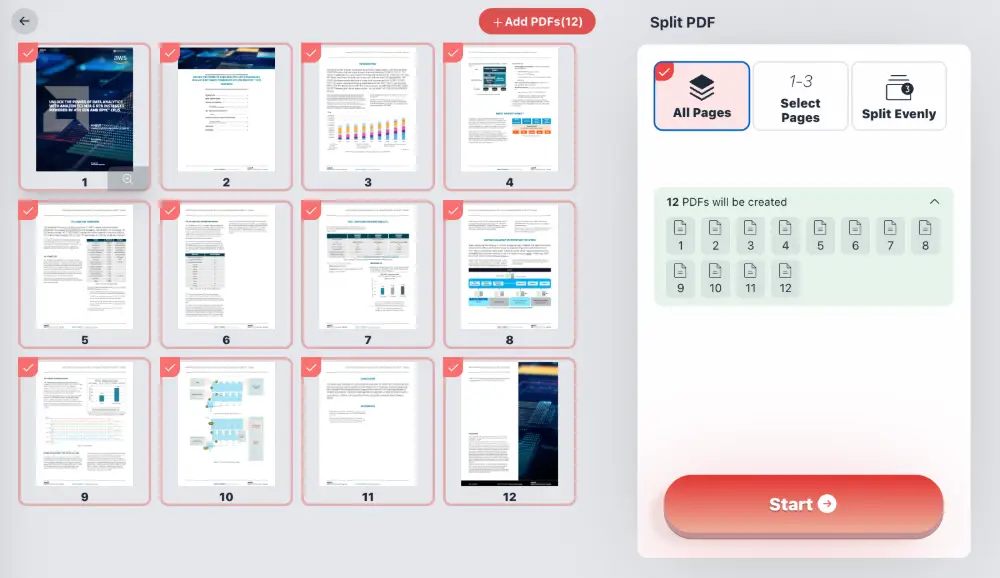
1. Extract All Pages
Turn every single page of your PDF into a separate file instantly. Perfect for bulk processing when you need to deconstruct an entire document. If you upload a 12-page PDF, you will receive 12 individual PDF files.
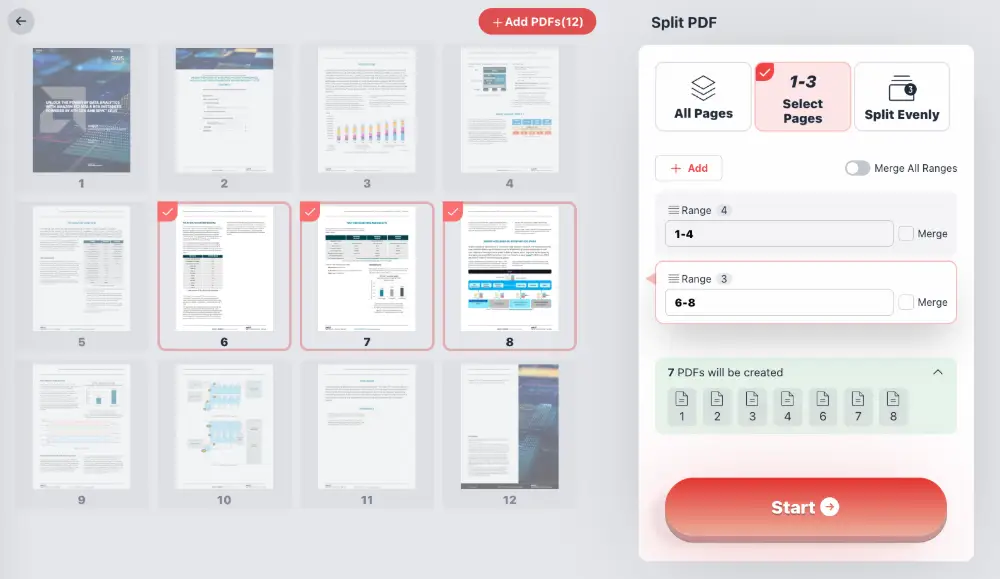
2. Select Specific Pages & Ranges
Have a large report but only need the executive summary? Use the Select Pages mode. You can manually pick pages (e.g., 2, 5, 9) or define ranges (e.g., 1-3, 6-10).
Feature Highlight: You can choose to extract these pages as separate files or toggle the "Merge" option to combine your selected ranges into a single, new PDF document.
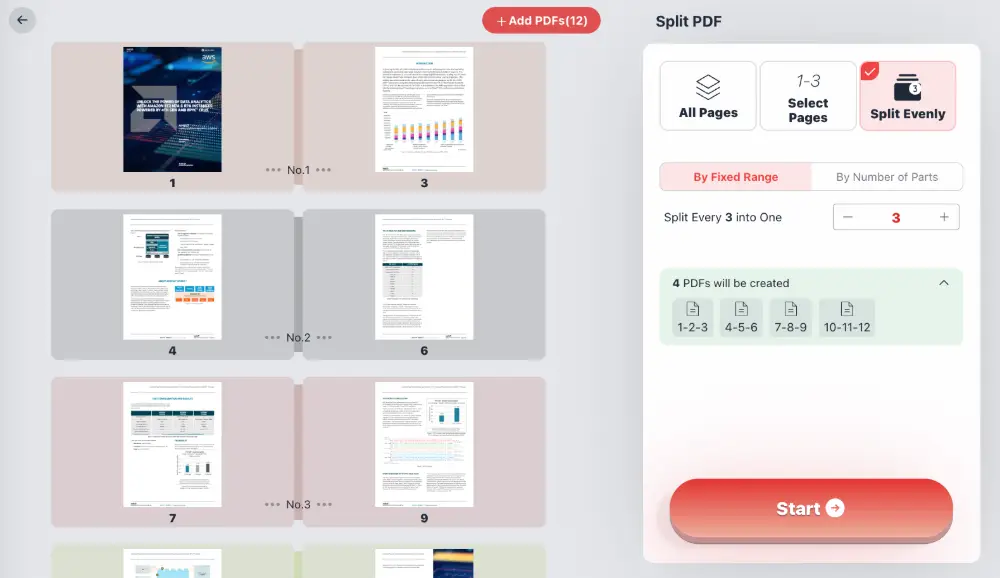
3. Split Evenly by Fixed Range
Automate the division of large files. Set a rule to "Split every X pages." For example, splitting a 30-page document every 5 pages will result in 6 equal separate files. This is ideal for batch scanning jobs or chapter-based splitting.
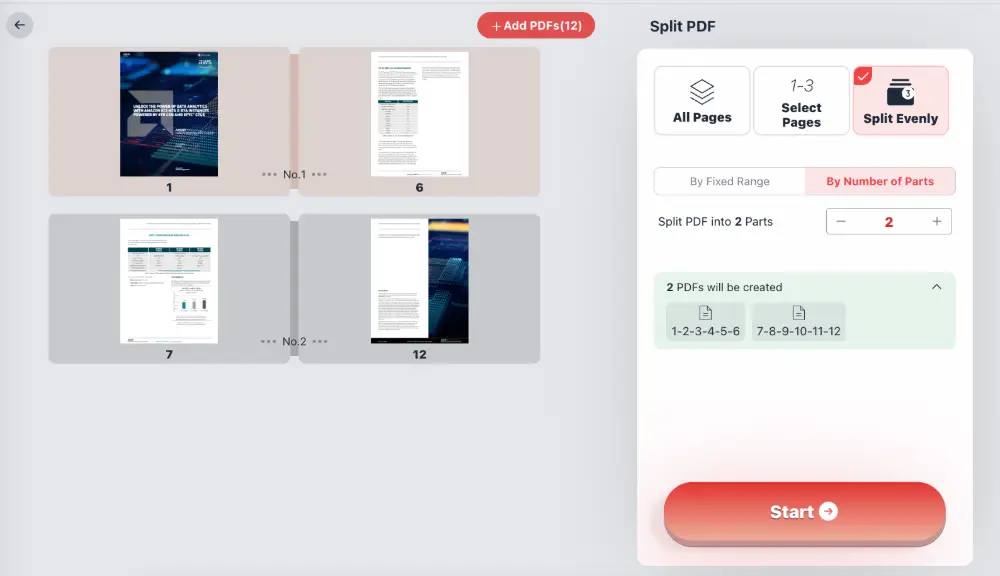
4. Split by Number of Parts
Need to divide a file into exactly three parts to share with three colleagues? Simply define the desired number of output files, and the tool will calculate the split points automatically to distribute pages as evenly as possible.
How to Extract PDF Pages
- Add Files: Drag and drop your PDF into the browser window or click "Add PDFs".
- Choose Mode: Select from "All Pages", "Select Pages", or "Split Evenly" on the right-hand panel.
- Configure: Enter your page ranges or split parameters. Toggle "Merge" if you want the extracted pages combined.
- Start: Click the "Start" button. The processing happens instantly on your device.
- Save: Download your new PDF files immediately.
Frequently Asked Questions (Q&A)
Absolutely. Unlike server-side tools, our technology processes the PDF directly in your browser using WebAssembly. The file content never leaves your computer, ensuring 100% data privacy and security.
No. This is a completely web-based tool. You do not need to download executables, install plugins, or create an account. It works instantly.
Yes, provided you know the password. You will be prompted to enter the password to unlock the file before the extraction process begins.
Yes, the tool is cross-platform and works on any modern web browser (Chrome, Firefox, Edge, Safari) regardless of your operating system.
Yes. When using the "Select Pages" mode, check the "Merge" box. This allows you to remove unwanted pages and save the remaining selected pages as a single, clean PDF document.