

Convert PDF to Grayscale - Fast, Free & Secure
Transform colorful documents into professional black and white PDFs instantly. Save on printing costs, reduce file sizes, and enjoy 100% privacy—your files are processed locally in your browser and never uploaded to our servers.
Try these now PDFs:
Does this online conversion service protect my privacy? Are the files I import safe?
Very safe, because your files never leave your device and are not uploaded. ImagesTool uses browser technology to achieve the conversion service that previously required uploading.
Everything happens only in your browser, 100% protecting your privacy.
You can do a test Convert once, then disconnect the device from the network, and convert again and you will find that everything is normal.
Optimize
Convert PDF to Grayscale - Secure, Fast, and Free
Transform colorful documents into professional black and white PDFs instantly. Optimize your files for printing and storage without compromising privacy.
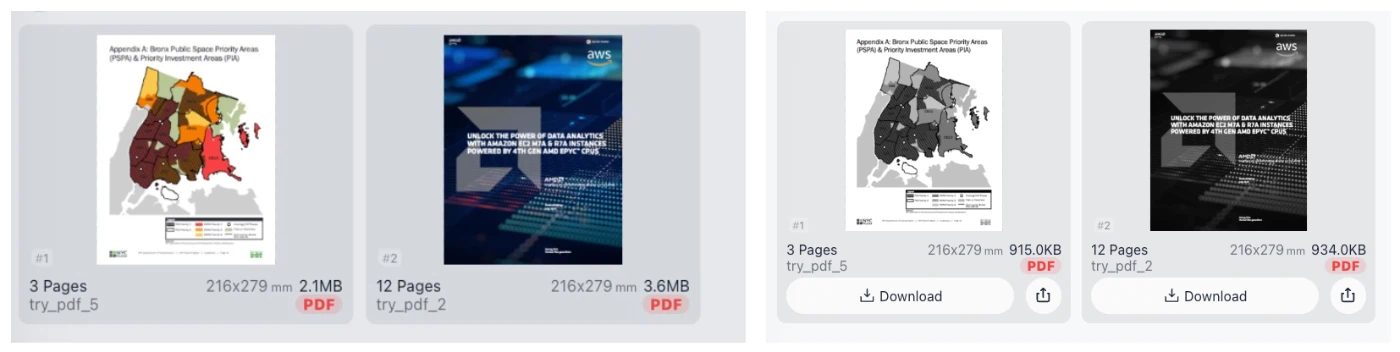
Visualizing the Color to Grayscale Transformation
Why Convert PDF to Black and White?
Our PDF to Grayscale converter is designed for efficiency and economy. By removing color data from your documents, you can significantly save printer ink/toner and create high-contrast versions ideal for professional archiving. Furthermore, converting to grayscale often results in a smaller PDF file size, making your documents easier to email, share, and store.
100% Privacy Guaranteed: We prioritize your security. Unlike other online converters, our tool processes your PDF files directly inside your browser. Your file never leaves your device. There is no server upload involved, ensuring sensitive data remains completely private.
- No Uploads: Processing happens locally.
- No Registration: Use the tool immediately without logging in.
- Save Costs: Reduce ink usage for physical printing.
Frequently Asked Questions (Q&A)
Is it safe to convert my PDF to grayscale here?
Yes, absolutely. We use advanced client-side technology. Your PDF is processed locally on your computer or phone. Since the file is never uploaded to a server, your privacy is 100% secure.
Does converting to grayscale reduce file size?
Yes. Color information takes up significant data. By converting your PDF to black and white, you strip away unnecessary color layers, often resulting in a lighter, more compact file that is faster to load and share.
Do I need to install software or register?
No. This tool is entirely web-based. There is no software installation, no account registration, and no login required. It works on Chrome, Firefox, Safari, and Edge instantly.
Can I convert complex PDFs with images?
Yes. The tool converts all visual elements, including text, vectors, and images, into high-quality grayscale equivalents while maintaining the clarity of the original document.