

Add Watermark to PDF Online - Secure & Batch Processing
Add custom text or image watermarks to PDFs directly in your browser. 100% private, no upload, batch support, adjustable opacity, rotation, position grid, and perfect CJK font rendering for Chinese, Japanese, Korean.
Try these now PDFs:
Does this online conversion service protect my privacy? Are the files I import safe?
Very safe, because your files never leave your device and are not uploaded. ImagesTool uses browser technology to achieve the conversion service that previously required uploading.
Everything happens only in your browser, 100% protecting your privacy.
You can do a test Convert once, then disconnect the device from the network, and convert again and you will find that everything is normal.
Add & Edit Content
Add Watermark to PDF Online: Secure, Batch & Private
Protect your intellectual property, branding, and copyright instantly. Our advanced browser-based tool allows you to apply custom text and image watermarks to multiple PDF files simultaneously without ever uploading your documents to a server.
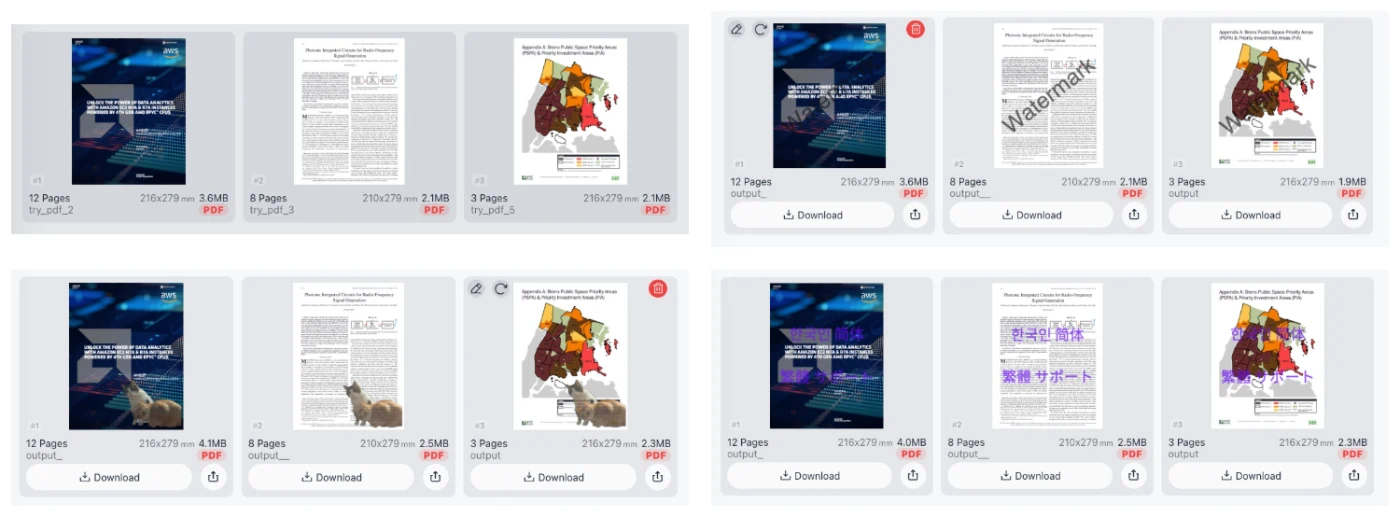
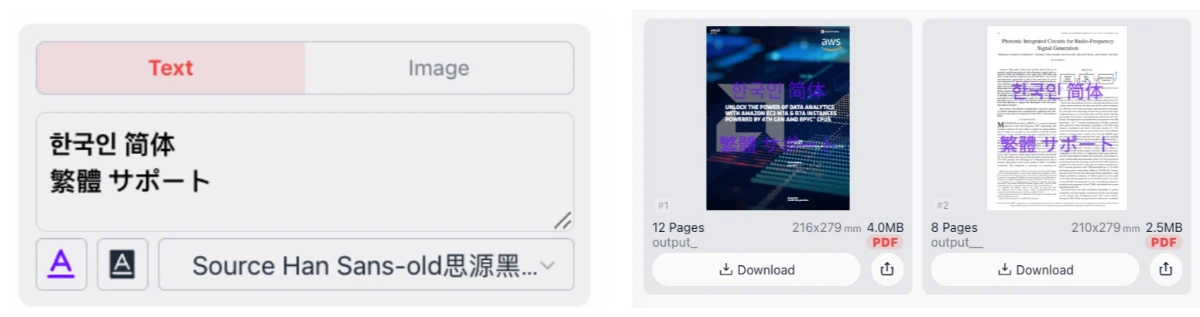
Below is a visual representation of how our watermarking technology overlays your custom branding onto your documents.
Why Watermark Your PDFs?
In the digital age, sharing documents is essential, but it comes with risks. Unauthorized distribution and plagiarism are common. Adding a watermark—whether it is a "Confidential" stamp, a "Draft" label, or your company logo—is the most effective way to claim ownership. Our tool simplifies this process, offering a bulk solution that saves time while ensuring your PDF files look professional and remain secure.
Key Features and Capabilities
1. Total Privacy: Browser-Based Processing
Unlike other online tools, we prioritize your security. Your files never leave your device. All processing happens locally within your browser using advanced web technologies. This means no data transfer, no server uploads, and zero risk of data breaches. It is the safest way to watermark sensitive legal contracts, financial reports, or personal manuscripts. No login or registration is required.
2. Versatile Text Watermarks
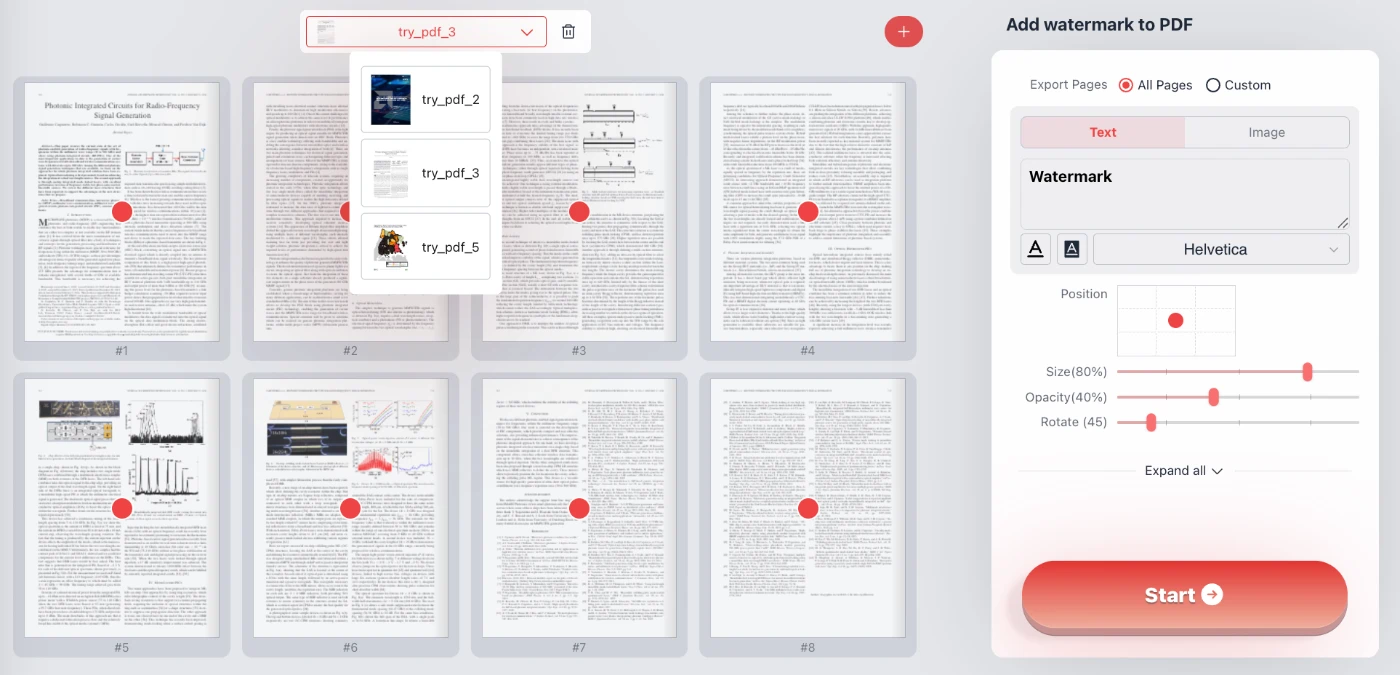
Create text-based stamps with full customization options to fit your brand identity:
- Font Variety: Choose from standard fonts like Helvetica, Courier, Times New Roman, and Symbol.
- CJK Language Support: We offer perfect rendering for Asian characters. Whether you need Chinese (Simplified/Traditional), Japanese, or Korean text.We achieve this by loading font files.
- Styling: Adjust text color and background color to ensure contrast. Toggle bold or italic styles for emphasis.
3. Image and Logo Watermarking
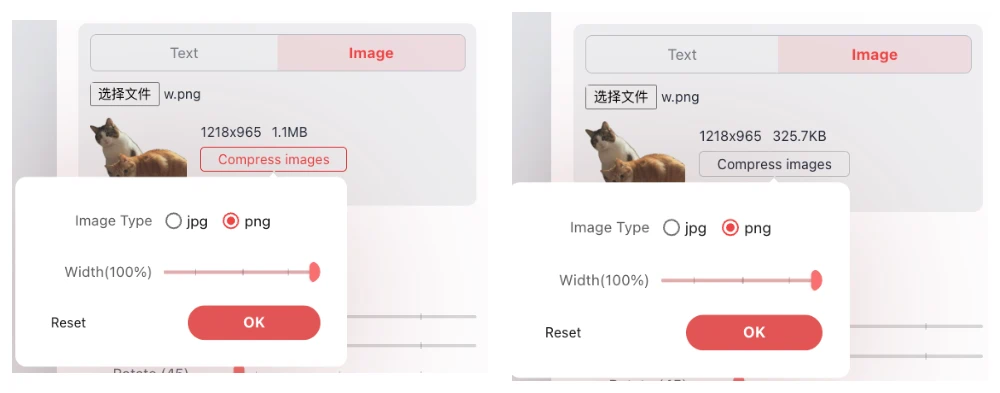
For official branding, you can upload your own image files (JPG or PNG). Our tool includes a smart "Compress images" feature that automatically optimizes your logo size. This ensures that adding a high-resolution logo doesn't bloat the final file size of your PDF, keeping your documents lightweight for email sharing.
4. Precision Control
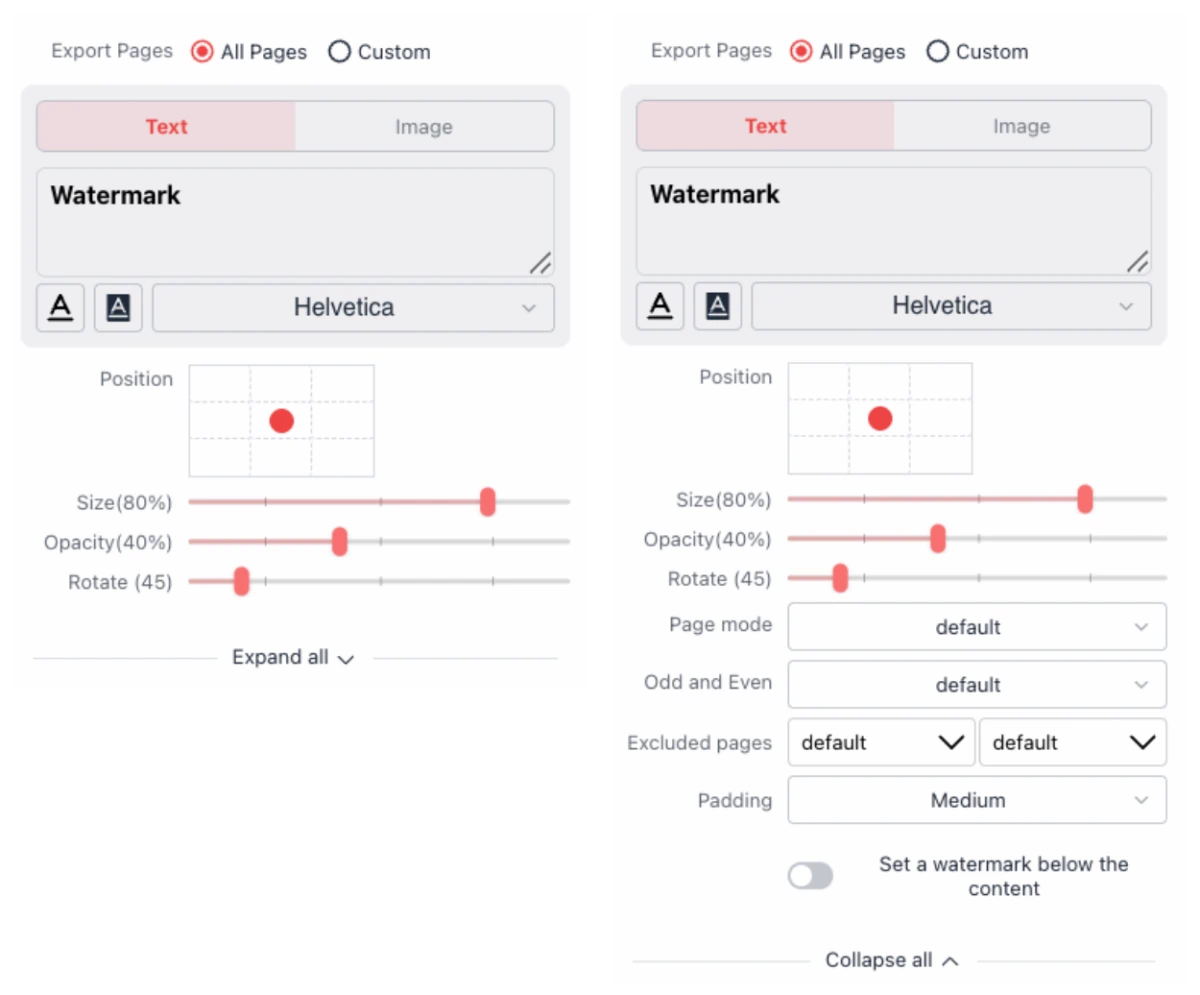
We give you granular control over how the watermark appears on the page:
- Grid Positioning: Use our intuitive 3x3 grid to instantly snap your watermark to the center, corners, or edges of the page.
- Opacity & Transparency: Use the opacity slider to fade your watermark (e.g., to 40%) so it protects the document without making the underlying text unreadable.
- Rotation & Size: Rotate your stamp 45 degrees for that classic "Confidential" look, or scale the size up and down to cover the entire page or just a corner.
5. Batch Processing Efficiency
Do you have dozens of files to process? Don't do them one by one. Upload multiple PDFs at once. Apply your settings to the first file, and the tool will replicate those settings across all files in the queue. You can check the output previews individually and download the resulting files instantly.
How to Use the Batch PDF Watermarker
- Select Files: Drag and drop your PDF documents into the browser window. You can add multiple files for batch processing.
- Choose Mode: Toggle between "Text" mode or "Image" mode depending on your needs.
- Customize:
- If using Text, type your content (e.g., "DRAFT"). Select your font (including CJK options) and pick a color.
- If using Image, upload your logo and use the compression feature if necessary.
- Adjust Settings: Use the sliders to change opacity, rotation, and size. Use the position grid to place the watermark exactly where you want it.
- Preview & Download: View the real-time preview on your document. Once satisfied, click "Download" to save your protected PDFs instantly.
Frequently Asked Questions (Q&A)
Is it safe to watermark confidential legal documents here?
Yes, absolutely. Because our solution operates 100% client-side, your confidential documents are never uploaded to our servers. The watermarking process occurs strictly within your web browser's memory. This makes it compliant with strict data privacy requirements.
Can I add Chinese, Japanese, or Korean characters?
Yes. Many PDF tools fail to render Asian characters correctly, often showing them as boxes or question marks. Our tool specifically includes font support (such as Source Han Sans and AliPuHuiTi) to ensure Chinese, Japanese, and Korean text renders perfectly.
Does this tool support image transparency?
Yes. If you upload a PNG logo with a transparent background, it will be preserved. Additionally, you can adjust the overall opacity of the uploaded image or text to ensure it blends seamlessly with the document background.
Is there a limit to how many files I can process?
Since the processing happens on your device, the limit depends largely on your computer's performance. You can comfortably batch process multiple files without waiting for server queues or hitting "free tier" upload limits common in other tools.
Do I need to install any software or plugins?
No. This is a fully web-based application. It works on any modern browser (Chrome, Edge) on Windows, Mac, or Linux. No installation or registration is required.