

Remove text from pdf
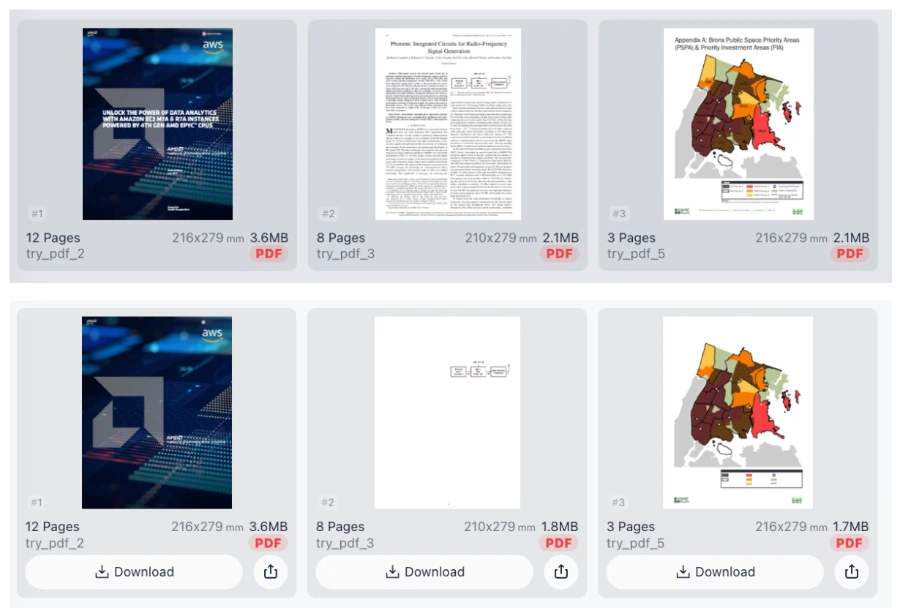
Selectively remove text, images and other content (vector paths) from PDF
Try these now PDFs:
Does this online conversion service protect my privacy? Are the files I import safe?
Very safe, because your files never leave your device and are not uploaded. ImagesTool uses browser technology to achieve the conversion service that previously required uploading.
Everything happens only in your browser, 100% protecting your privacy.
You can do a test Convert once, then disconnect the device from the network, and convert again and you will find that everything is normal.
Remove Text from PDF Securely
Our advanced PDF content removal tool allows you to selectively delete text, images, and vector paths from any document with professional precision. Whether you need to redact sensitive information or clean up visual clutter, this tool provides a seamless experience for modifying PDF elements without compromising the document structure.
Core Features
- Selective Text Removal: Click and delete specific words or paragraphs.
- Original Layout Preservation: Delete content while maintaining the rest of the file's integrity.
100% Privacy and Security
Privacy is our priority. This tool operates entirely within your web browser. Your PDF files never leave your device and are never uploaded to any server. We provide a 100% secure environment where processing happens locally. There is no login required, no registration needed, and no hidden data collection.
Frequently Asked Questions
Is my data safe when I remove text from a PDF?
Yes. Since all processing is performed in-browser, your sensitive documents are never transmitted over the internet. Your privacy is 100% guaranteed.
Do I need to create an account?
No. You can use all features immediately without registration, sign-ups, or subscriptions.
Can I remove images as well as text?
Absolutely. You can selectively remove text, embedded images, and even complex vector paths and shapes from your PDF files.