

Combine All PDF Pages into One Single Page
A powerful PDF tool to combine all pages into a single long page or document. Customize output width, quality, and enable the scan-to-PDF simulation effect. It offers precise border controls (thickness, color, toggle for each side), page spacing, background colors, and various layout options like Grid, Vertical, or Horizontal.
Try these now PDFs:
Does this online conversion service protect my privacy? Are the files I import safe?
Very safe, because your files never leave your device and are not uploaded. ImagesTool uses browser technology to achieve the conversion service that previously required uploading.
Everything happens only in your browser, 100% protecting your privacy.
You can do a test Convert once, then disconnect the device from the network, and convert again and you will find that everything is normal.
Layout
Combine all pages of a PDF into a single page native PDF.
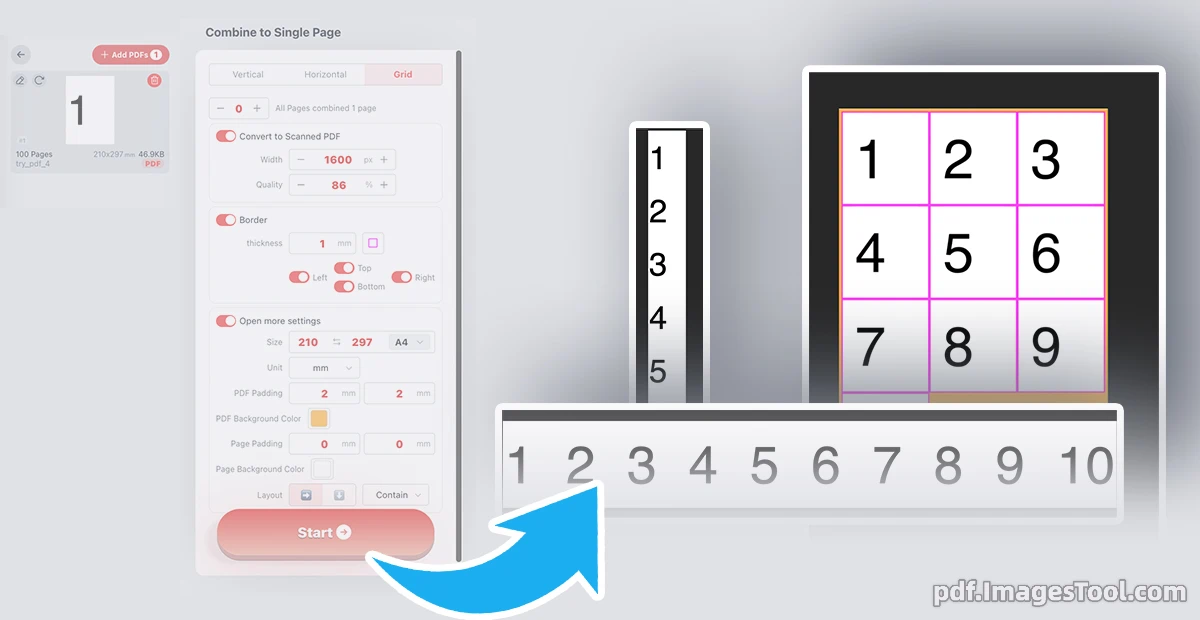
Effortlessly merge multi-page documents into a seamless single page with our professional PDF combiner. Whether you need a vertical long-read, a horizontal spread, or a structured grid layout, this tool offers precision control. You can customize output width, adjust page padding, and set specific border thicknesses or background colors. For a professional touch, Use the 'Convert to Scanned PDF' feature. This can compress the PDF file size while effectively flattening the content, preventing unauthorized copying or editing.
Your privacy is guaranteed. This tool runs entirely in your local browser; files are never uploaded to a server. No registration, no login, and 100% data security.
- Select your preferred layout (Vertical, Horizontal, or Grid) and customize dimensions.
- Fine-tune borders, padding, and colors via the 'Open more settings' panel.
- Click 'Start' to generate and download
- Digital Portfolios: Display multiple design pages as one continuous, impressive scroll.
- Mobile-Friendly Reading: Convert complex reports into long-form PDFs optimized for smartphone viewing.
- Document Archiving: Condense multi-page receipts or records into a single-page overview for easy reference.
Frequently Asked Questions (QA)
Q: Can the original PDF be preserved after splicing??
A: Yes, you can. Just turn off 'Convert to scanned PDF'.
Q: Can I customize the space between pages?
A: Yes, the tool allows you to precisely set 'Page Padding' and 'PDF Padding' in millimeters to achieve the perfect layout.
Q: Is there a limit on the number of pages I can combine?
A: No quantity limit.