

PDF Poster Printer & Maker
Easily split large PDF documents like A0 or A1 into multiple smaller A4 pages automatically. As a versatile PDF poster maker, it supports custom scaling, overlapping alignment margins, and crop marks. Perfect for assembling large-scale posters or professional architectural drawings seamlessly using a standard home printer.
Try these now PDFs:
Does this online conversion service protect my privacy? Are the files I import safe?
Very safe, because your files never leave your device and are not uploaded. ImagesTool uses browser technology to achieve the conversion service that previously required uploading.
Everything happens only in your browser, 100% protecting your privacy.
You can do a test Convert once, then disconnect the device from the network, and convert again and you will find that everything is normal.
Layout
Free PDF Poster Printer: Print Large PDF on Multiple Pages
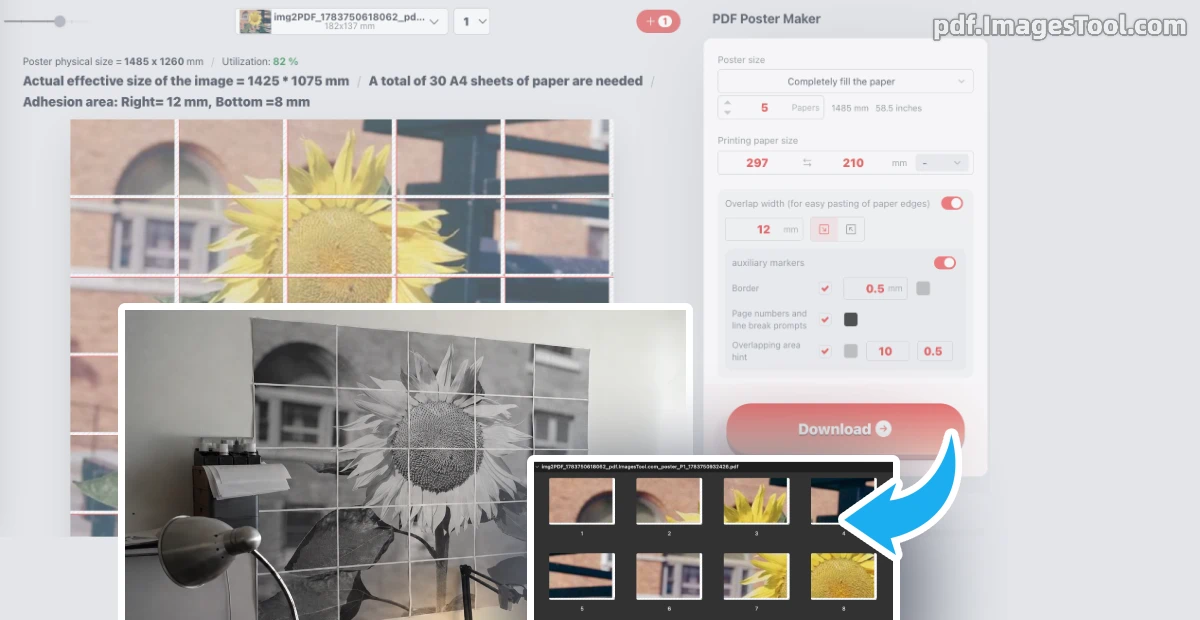
As a designer who regularly deals with architectural blueprints and giant banners, I highly recommend this robust PDF poster printer. It seamlessly splits oversized files—like A0 or A1 documents—into standard A4 grids. What truly sets it apart is the precision: you can set custom scaling, add adjustable overlap margins (e.g., a 12mm overlap for gluing), and generate crop marks, ensuring your final poster puzzle pieces align perfectly using just a standard home printer.
Security is paramount. This tool runs 100% locally in your browser. No server uploads, no registration, and zero privacy risks. Your files never leave your device.
How to use this PDF poster maker:
- Upload your large PDF file directly into the browser.
- Set the output paper size (e.g., A4), adjust scaling, and configure your overlap and alignment marks.
- Download the tiled PDF pages and print them instantly.
- Architectural Plans: Print massive A0 CAD drawings seamlessly across standard A4 sheets for easy offline viewing.
- Event Banners: Act as a DIY PDF poster maker to print massive party banners at home, saving expensive print shop costs.
- Educational Displays: Easily tile print large interactive maps or classroom materials using a regular printer.
Frequently Asked Questions (QA)
Q: Do I need a special large-format printer for this?
A: Not at all! This tool is specifically designed to print large PDF on multiple pages using standard A4/Letter paper, meaning any regular home or office printer works perfectly.
Q: How do I assemble the pages without messing up the alignment?
A: The tool features customizable overlap margins and visible crop marks on the edges, making it incredibly easy to align, tape, or glue the printed grids together flawlessly.
Q: Are my files uploaded to a cloud server?
A: Absolutely not. The tile printing calculations and PDF splitting happen entirely locally within your browser, ensuring maximum privacy for your documents.