

PDF to Markdown (.md)
Batch convert PDF documents into Markdown (.md) files while preserving image layouts. It accurately restores tables, headings, and illustrations from your PDFs, offering flexible image configurations such as embedding images directly or exporting them as an external ZIP package. You can also customize image compression quality and maximum width.
Try these now PDFs:
Does this online conversion service protect my privacy? Are the files I import safe?
Very safe, because your files never leave your device and are not uploaded. ImagesTool uses browser technology to achieve the conversion service that previously required uploading.
Everything happens only in your browser, 100% protecting your privacy.
You can do a test Convert once, then disconnect the device from the network, and convert again and you will find that everything is normal.
PDF to Others
Local PDF to Markdown Converter with Table and Image Extraction
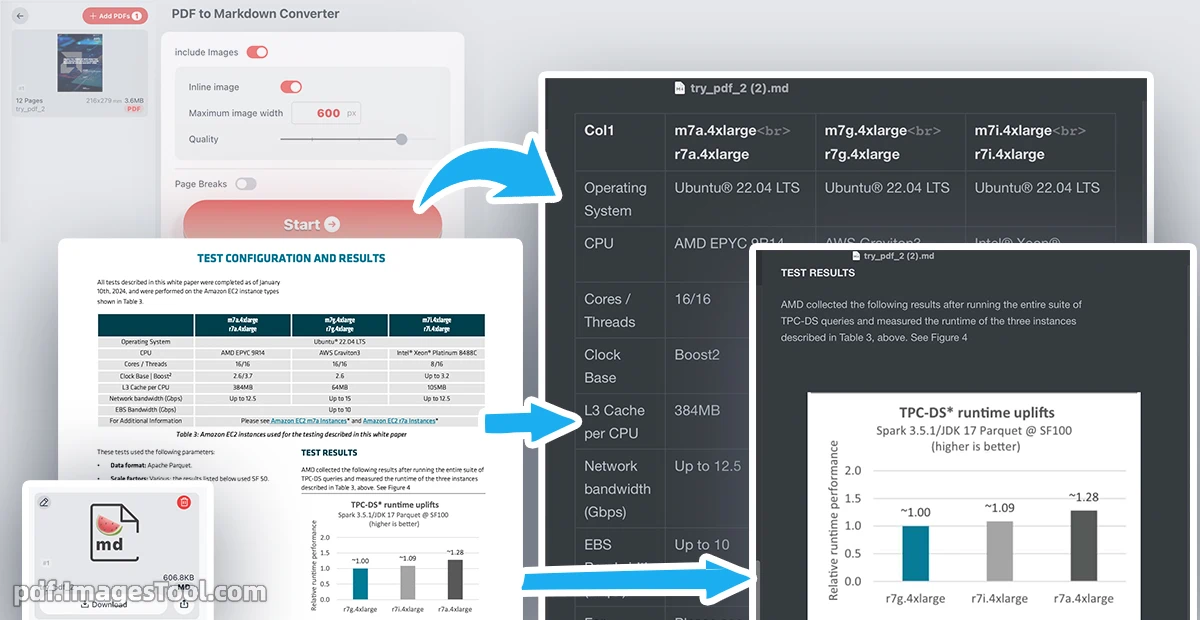
Converting PDF documents into clean, structured Markdown can be challenging, especially when dealing with complex elements like multi-level headings, tables, and embedded images. This browser-based converter simplifies the workflow by parsing PDF structures and exporting them into standard .md files. It supports batch processing, recovers tables, and extracts illustrations. Users can customize image outputs—either embedding them as inline assets or exporting them in an organized ZIP archive—while adjusting compression quality and maximum image width to suit their documentation needs.
- Drag and drop your PDF files directly into the converter interface.
- Configure your layout preferences, such as image quality, maximum width, and extraction methods (inline or outer ZIP assets).
- After Click 'Start' button, Download Markdown file
While optimized for converting PDFs to Markdown files, the tool also serves as an efficient extraction utility. It extracts structured text, raw tables, and standalone high-resolution images from standard document formats, making it easier to migrate legacy PDF manuals, reports, and academic papers into modern documentation platforms or static site generators.
Use Cases
- Technical Documentation Migration: Easily convert old PDF manuals and specifications into Markdown files for integration with Git, GitHub, or documentation static site generators like Hugo and Docusaurus.
- Academic and Report Summarization: Extract tables, structures, and charts from research papers to compile study notes or format materials for personal knowledge bases like Obsidian and Notion.
- Content Publishing & Blogging: Repurpose formatted text and illustrations from promotional PDF brochures into clean web-ready articles without manual copy-pasting.
- AI Training & LLM Data Preparation: Clean up unstructured PDF manuals and layout structures into well-organized Markdown text, suitable for training local LLMs or building RAG databases.
Frequently Asked Questions (QA)
A: Yes. The conversion engine runs entirely on your local machine using client-side JavaScript. No document data is ever uploaded to any external servers, ensuring absolute privacy for your confidential files.
A: The converter identifies tabular structures within the PDF and converts them into standard Markdown tables. For images, it extracts the visual assets and lets you choose whether to embed them using base64 or pack them into a downloadable ZIP folder with structured paths.
A: No registration, login, or subscriptions are required. You can use the converter directly in your web browser completely free of charge.