

Combine 2 PDF Pages Vertically
Merge corresponding pages of multiple PDFs top-to-bottom. Combine PDF A and PDF B vertically (A1 over B1) to generate a single double-height page. Ideal for vertical document comparison.
Try these now PDFs:
Does this online conversion service protect my privacy? Are the files I import safe?
Very safe, because your files never leave your device and are not uploaded. ImagesTool uses browser technology to achieve the conversion service that previously required uploading.
Everything happens only in your browser, 100% protecting your privacy.
You can do a test Convert once, then disconnect the device from the network, and convert again and you will find that everything is normal.
Layout
Free Vertical PDF Page Stitching Tool
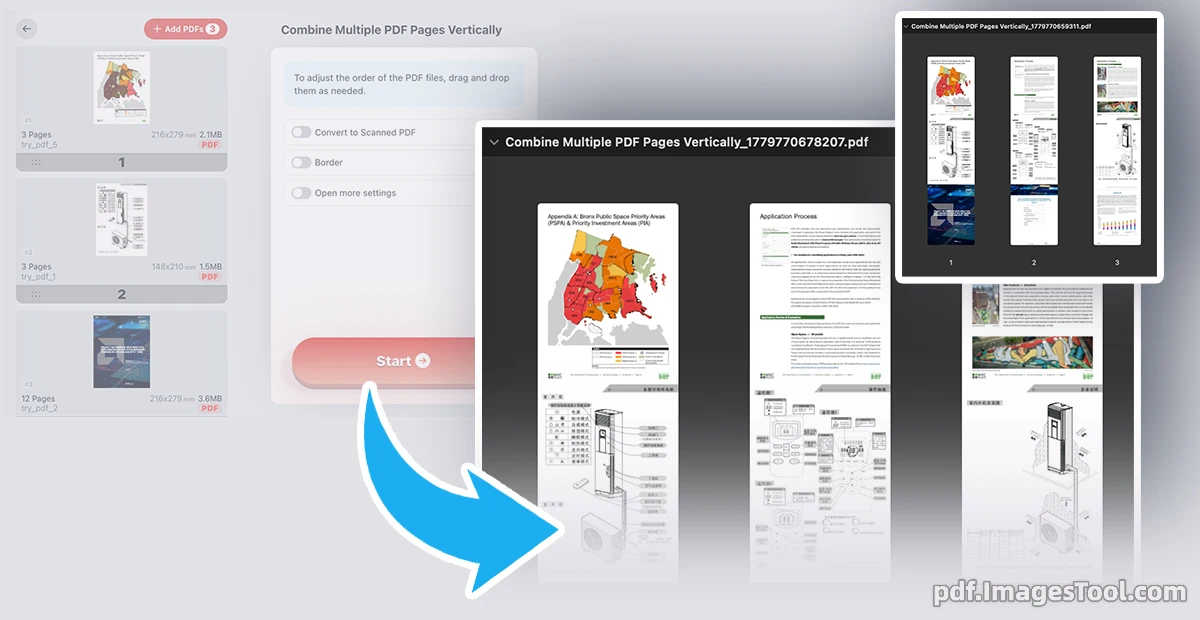
Transform your workflow with our Vertical Page Stitching tool. Unlike standard merging, it seamlessly fuses corresponding pages top-to-bottom onto a single, taller canvas. By placing Page 1 of Document A directly above Page 1 of Document B, you get a precise Vertical Page Merge. This is perfect for vertical document comparison, elongated layouts, and tall data reports with no quality loss.
Fully browser-based. No uploads or registration required—100% private.
- Import two or more PDFs.
- Drag to arrange their vertical order.
- Click 'Start'.
- Contract Review: Stack versions top-to-bottom for quick auditing.
- Elongated Diagrams: Combine schematics into a single tall view.
- Long-form Layouts: Create tall pages for continuous vertical reading.
Why merge PDFs vertically?
FAQ
A: Yes. All processing happens locally in your browser. No files are uploaded.
A: Yes, it automatically adjusts the canvas width to fit the widest page.
A: No strict limit, but we recommend up to 5 for optimal performance.
Q: What if page counts differ?A: The longer PDF continues to display vertically until its last page.