

Split PDF Pages Vertically
Vertically split your PDF pages in half from left to right into two independent pages. Drag to adjust the vertical split line for precise cutting. Perfect for processing scanned documents, receipts, dual-column books, or cards.
Try these now PDFs:
Does this online conversion service protect my privacy? Are the files I import safe?
Very safe, because your files never leave your device and are not uploaded. ImagesTool uses browser technology to achieve the conversion service that previously required uploading.
Everything happens only in your browser, 100% protecting your privacy.
You can do a test Convert once, then disconnect the device from the network, and convert again and you will find that everything is normal.
Layout
Free PDF Vertical Splitter: Cut PDF Pages in Half
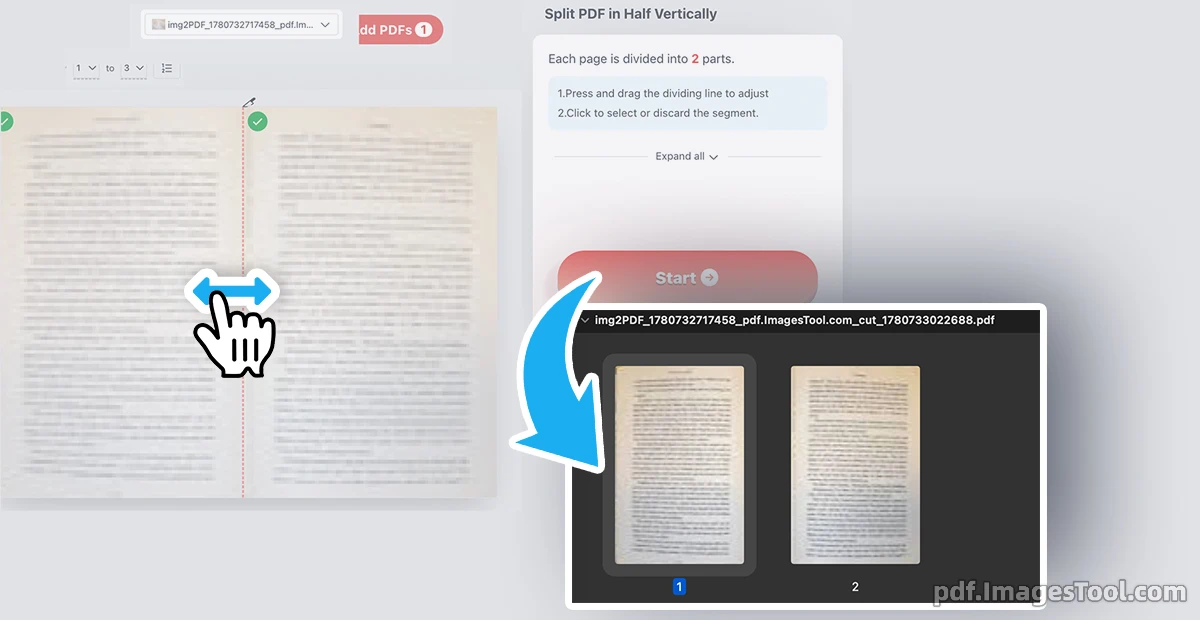
As someone who frequently deals with large scanned documents, I know how frustrating side-by-side spreads can be. This vertical PDF splitter is an essential tool to easily split in half any single PDF page from left to right. By simply dragging the custom vertical dividing line, you can precisely cut PDF pages down the middle or choose the exact ratio you need to divide it into two independent pages. It’s the ultimate way to halve your documents with perfect precision, keeping everything aligned.
100% privacy guaranteed. This tool runs entirely locally in your browser. No server uploads, no registration, and no login required. Your files never leave your device.
- Select or drag and drop your PDF file directly into your browser window.
- Drag the adjustable vertical separator to set your exact split position.
- Click to cut the page and instantly download your newly separated PDF files.
Ideal Use Cases
- Scanned Books & Documents: Effortlessly split dual-column textbook scans or side-by-side spreads right down the middle to create highly readable, standard single pages.
- Receipts & Invoices: Precisely cut scanned financial tickets or side-by-side receipts into two individual documents for easier accounting and archiving.
- Flashcards & ID Scans: Divide front-and-back ID cards placed on a single A4 sheet into two distinct files by sliding the vertical line.
Frequently Asked Questions (QA)
A: Yes! It is a completely free online utility with no hidden costs, limits, or watermarks attached to your output files.
A: Not at all. While you can perfectly halve the page, you also have the freedom to drag the vertical line to any custom position for an asymmetrical cut.
A: Absolutely. Thanks to our advanced browser-based technology, all processing happens locally on your computer. We have no servers to receive your files, ensuring complete data security.