

Split All PDF Pages into Single Pages
Batch split every page of your PDF into separate, single-page PDF files quickly and for free. No registration or login required. All processing is done securely in your local browser to protect your file privacy, ready to use instantly.
Try these now PDFs:
Does this online conversion service protect my privacy? Are the files I import safe?
Very safe, because your files never leave your device and are not uploaded. ImagesTool uses browser technology to achieve the conversion service that previously required uploading.
Everything happens only in your browser, 100% protecting your privacy.
You can do a test Convert once, then disconnect the device from the network, and convert again and you will find that everything is normal.
Split
Split All PDF Pages into Single Pages
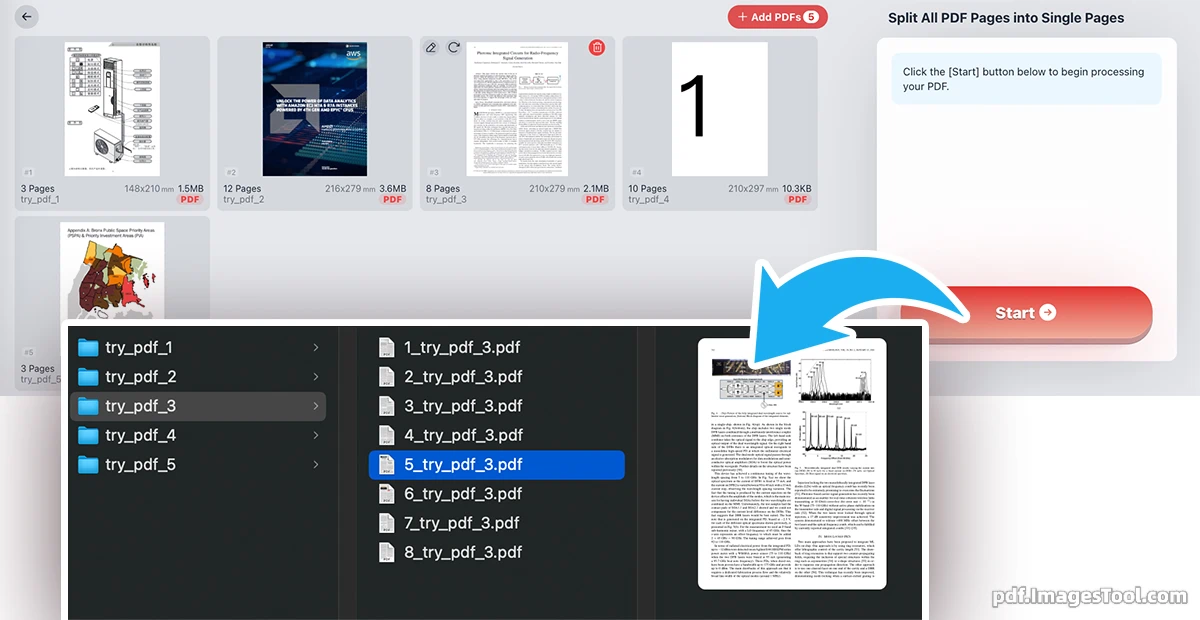
Engineered from the ground up with a professional-grade architecture—rather than relying on simple patches to legacy web scripts—our PDF splitter delivers unprecedented stability and speed. It completely resolves common file corruption, formatting loss, and browser freezing issues that typically occur when processing heavy documents. Capable of separating up to 100 pages per second, this robust tool flawlessly breaks down your massive batch tasks into perfectly pristine, single-page PDF files without breaking a sweat.
What truly sets our tool apart is the uncompromising commitment to your data privacy. Built entirely on advanced local browser technology, your files are processed directly on your device and never leave your computer. There are no server uploads, no cloud storage vulnerabilities, and absolutely no registration or login required. You get 100% enterprise-grade security for your sensitive documents, completely free and instantly ready to use the moment you open the page.
Core Features
- Lightning-Fast Processing: Experience unparalleled speeds, safely splitting up to 100 PDF pages per second without any lag or performance drops.
- Zero-Upload Privacy: 100% local browser processing. Your documents are never uploaded to remote servers, guaranteeing absolute data security and confidentiality.
- Smart Batch Organization: Easily process multiple PDF files at once. You'll receive a streamlined ZIP archive containing perfectly organized folders for each original document.
- No Registration Required: Ready to use instantly right out of the box. Skip the tedious sign-ups, subscriptions, and accounts.
- Intuitive Workflow: Simply drag and drop your files, hit the start button, and download your separated pages in a neatly packed ZIP file within seconds.
Frequently Asked Questions (QA)
Q: Is it safe to process highly confidential company documents with this tool?
A: Yes, absolutely. Unlike traditional online PDF editors that upload your files to remote cloud servers, our tool utilizes secure browser-side technology. All processing happens entirely within your local device's memory. Your files are never transmitted over the internet, ensuring 100% privacy and safety.
Q: How does the tool handle batch processing of multiple PDF files?
A: You can import or drag-and-drop multiple PDF files simultaneously. Once the extremely fast splitting process is complete, the tool generates a single ZIP file for download. Inside this archive, you will find separate, neatly labeled folders for each original PDF, keeping all your single-page files perfectly organized.
Q: Do I need to pay or create an account to use the fast splitting features?
A: No. Our PDF batch splitter is completely free to use with no hidden fees, no subscriptions, and no registration required. You just open the web page and start splitting your files immediately without any usage limits.